

Vault and saved logins
Vault keeps your website logins and cards, under Trust → Logins and cards. nod can sign in with a saved login, but the model never receives the password: the nod server types it into the website for you.
Add a login
Section titled “Add a login”- Open Trust → Logins and cards, select Add, then Login.
- Enter a Name you'll recognize, such as "Work reports", and the Website domain.
- Enter the username or email and the Password, then select Save.
Import from a password manager. Select Add → Import passwords and choose a CSV exported from Chrome, 1Password or another password manager. nod imports the website logins and skips archived items. Passkeys, cookies and other items aren't imported. Delete the exported file afterwards, because it isn't encrypted.
Add one during a task. When a task needs a login you haven't saved, nod opens a private Sign in form. Its fields use the website's own names, such as Username or Email address; an account the site took on an earlier page gets a generic label. Enter the account and password, then select Save and continue. nod saves both under the website's name, even when the site took the account on an earlier page, and types only the fields that page asks for. The values never pass through chat or the model.
Select the sign-in action in chat to open the private form beside the conversation. On a narrow window it fills the chat area. Close it with Escape or the close button; unsent values are cleared. Reopen the action to read the current status. Closing the panel does not cancel an entry already submitted to the website. Browser handoff links still open a standalone private form.
When a website offers several sign-in methods, nod shows the choices it found on that page. Select one to continue in nod's browser. Email, password and verification-code steps appear in the same private panel as the website asks for them. A choice opens the website's real control; it does not mean sign-in succeeded.
Method choices expire after 30 minutes. If the page or control changes, nod refuses the old choice. A result that cannot be confirmed stays unknown and is never replayed automatically. Ask nod to check the page before trying again. The panel follows fresh steps from the same task and browser for up to 30 minutes; a new task needs its own private link.
A private form stays available while its task waits for you. It stops accepting input once used, when nod asks for a newer one, when nod starts on a newer message in the same conversation, or when you select Stop. A scheduled run or background task has its own session, so chatting with nod never closes its form.
How sign-in works
Section titled “How sign-in works”sequenceDiagram actor You participant nod participant Server participant Site as Website You->>nod: Get this week's numbers from the reports site nod->>Site: Read the sign-in page nod->>Server: Use Work reports in these fields Server->>Server: Check task, account and exact origin Server->>Server: Claim one use Server->>Site: Enter and submit privately Site-->>nod: Page after sign-in, secrets masked nod-->>You: Here are the numbers
nod picks the account, the fields and the submit button. The server enters and submits in one private step that nod can't watch, then nod carries on with the live page.
| Item | What the model receives |
|---|---|
| Saved login | Its name, its website and the first two characters of the username |
| Saved card | Its name, brand, last four digits and expiry |
| Password or code | Only whether the private step finished |
| Page after sign-in | The live page, with the password and codes removed from text and masked in screenshots |
The private sign-in page shows you the full username of each saved login it can open, so you can pick the right account.
Exact website origins
Section titled “Exact website origins”A login works only on its exact origin: the protocol, host and port. The browser checks the real origin of each field, including fields inside frames, so a lookalike page can't receive your password. For a login saved for https://reports.example.com:
| Page | Can use the login? |
|---|---|
https://reports.example.com/weekly |
Yes, the path doesn't matter |
https://login.example.com |
No, a different host |
http://reports.example.com |
No, a different protocol |
https://reports.example.com:8443 |
No, a different port |
When nod asks first
Section titled “When nod asks first”- Which account. nod reuses the one saved login that fits. If several could apply and you haven't said which, it asks.
- Whether to sign in. The same checker that decides app actions checks whether your recent messages need this website. If not, nod asks, for example "Sign in to reports.example.com?". Mentioning a domain isn't consent.
- Scheduled runs are checked against the instruction that created the schedule.
- Background work nod starts itself is checked against your standing instruction. If that doesn't need this website, nod asks you first.
A yes covers that website and account for the rest of the task. A new task is checked again.
Verification codes
Section titled “Verification codes”When a website emails you a code, nod can fetch it privately from your connected mailbox. The server checks the sender, recipient, time and account before entering it, and the model never sees it. It reads only mail that arrived after nod entered your sign-in details on that site, or after the task started, allowing 30 seconds for clock differences and going back at most five and a half minutes. It waits up to a minute for the email to arrive. Otherwise, enter the code in the private form, or reply with it in the chat where nod asked, including Telegram or WhatsApp, in any language, such as 482913 or "mi código es 482913". nod submits it privately and keeps it out of the chat history. While a code is pending, a message with a code-length number anywhere but at its end is refused, so send the code at the end or by itself. When nod reads mail through your apps, a separate model check (a decision service, or your connection's smaller model) reads each email on its own before nod's model sees it, and hides the content of any email that gives access to an account: a one-time or verification code, a sign-in or magic link, a password-reset or account-recovery link, a temporary or initial password, backup or recovery codes, or an API key or access token. Mail that only mentions your accounts, such as a receipt or a new sign-in alert without a code or link, stays visible. If the check fails, nod hides that email too. The check reads up to 8,000 characters, the start and end of a longer email, and like any model it can miss one, so treat it as a strong guard rather than a guarantee. An email nod downloads as a file isn't checked.
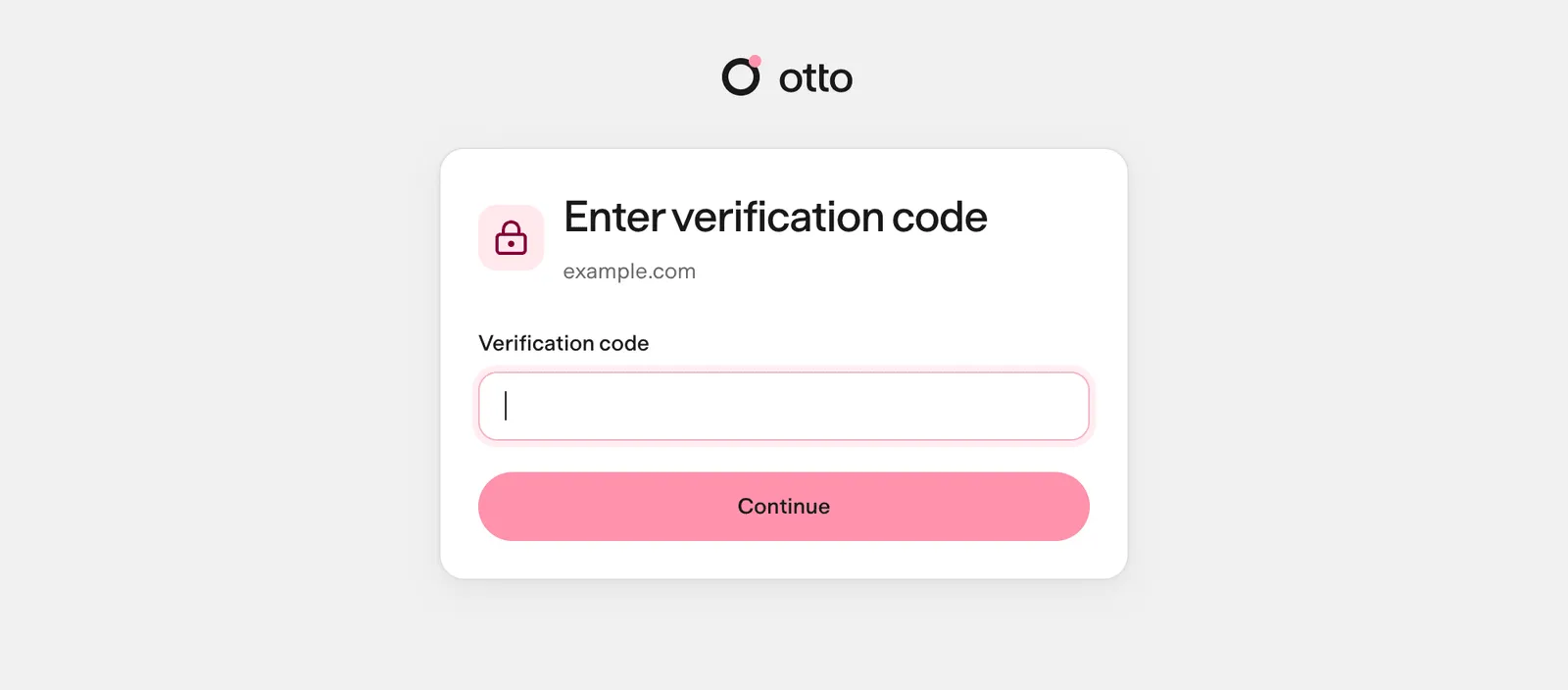
Private steps from Telegram or WhatsApp
Section titled “Private steps from Telegram or WhatsApp”Private forms never open in a chat app. Finish the step in the same conversation in nod on your desktop, and nod replies in the original chat. See Telegram and WhatsApp.
Review and change access
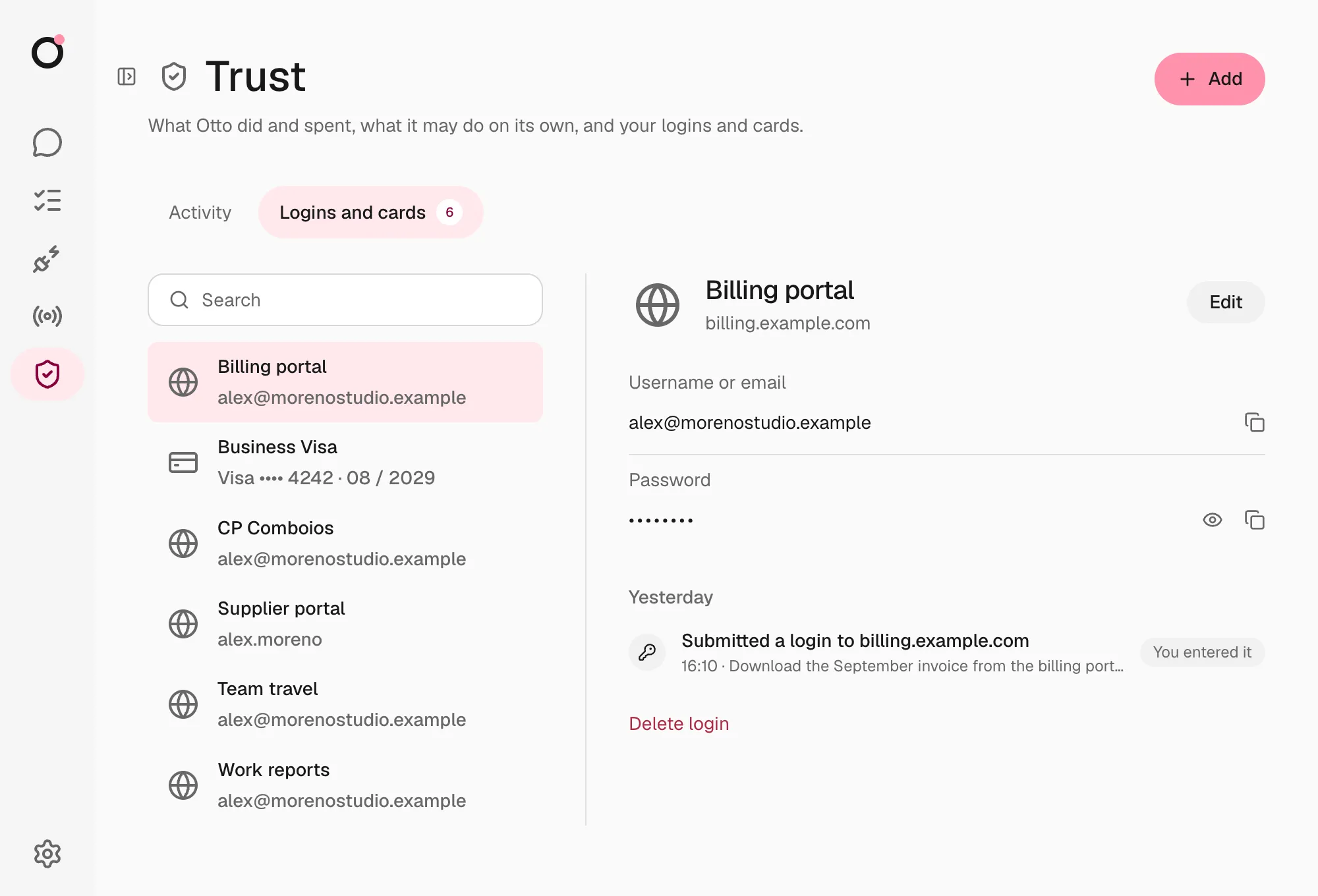
Section titled “Review and change access”Trust → Activity lists every sign-in, code, saved-session use, question, held attempt, reveal and permission change, with the task and the reason, next to what nod did in your apps.
Trust → Logins and cards lists your logins, cards and saved sessions. Open one to edit, reveal, copy or delete it. Every reveal is recorded.
How Vault stores secrets
Section titled “How Vault stores secrets”Saved logins and cards are encrypted with AES-256-GCM. Each value is bound to you, its record and its purpose, so a copied value won't open anywhere else. The key is kept outside the database.
Vault fails closed. nod checks the key against your existing data before it uses or writes anything, and a wrong or missing key stops Vault without overwriting anything. A login the key can't open shows Can't be opened and can still be deleted.
Where the key lives
| Where nod runs | Key |
|---|---|
| Desktop app | Generated by the app, protected by the system's safe storage |
| From source on macOS | The macOS Keychain, or NOD_VAULT_KEY if you set it |
| From source on Linux | A private file at NOD_DATA_ROOT/vault/master-key, or NOD_VAULT_KEY if you set it |
Where this is enforced
Section titled “Where this is enforced”src/server/vault-access.ts (permission and activity) · src/server/vault-use.ts (one use) · src/server/vault-crypto.ts (encryption) · src/providers/agent-browser (origin checks and private entry)