Authority comes from you
A web page, email or file can't give nod permission. Only your messages and approvals can.
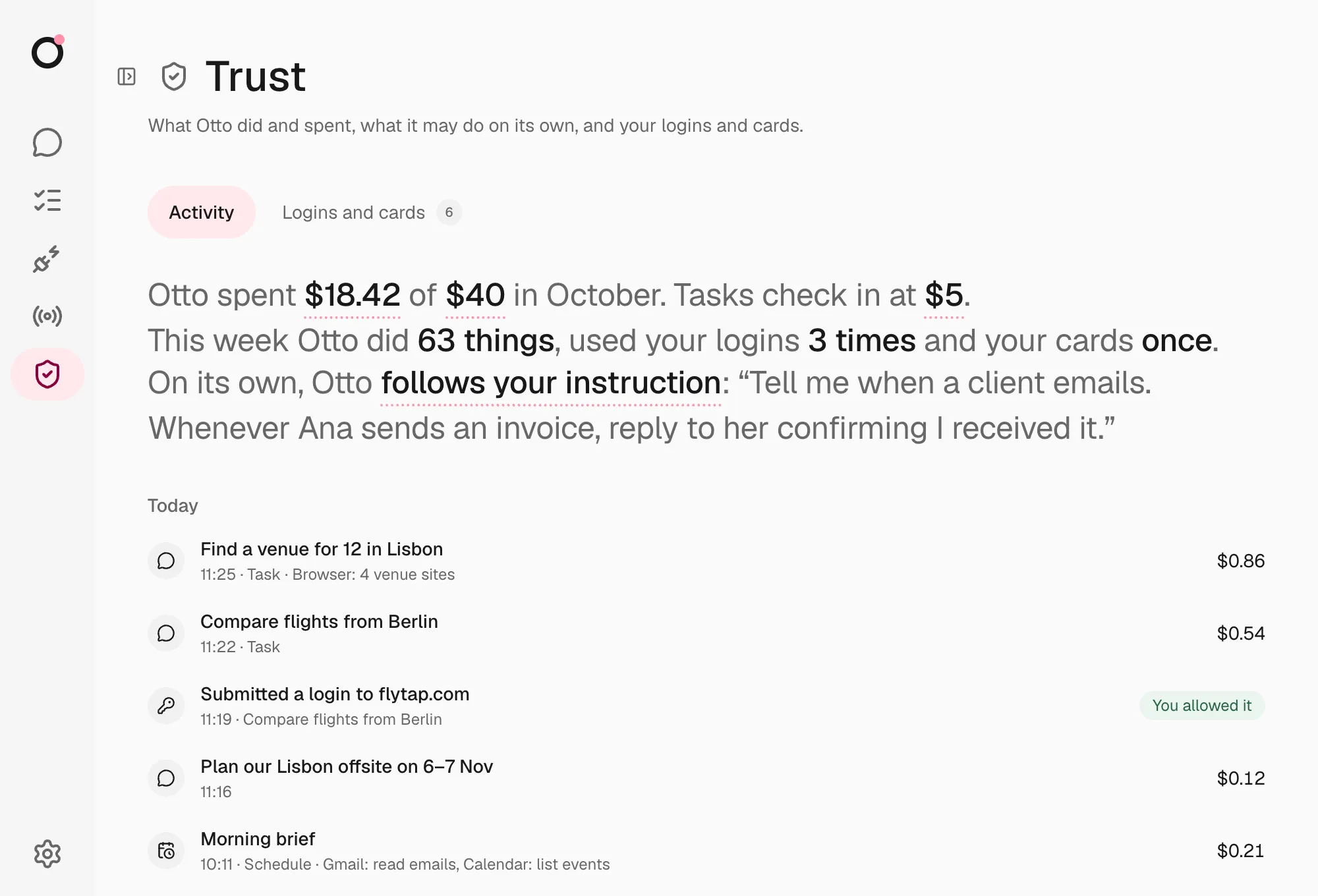
Trust decides what nod can do in your apps and on websites. Vault decides how nod uses your saved logins and cards, and it never shows them to the model.
nod can sign in to a website, read a report, prepare a reply and complete a checkout. The model plans that work. A separate check decides which app actions, browser steps and sign-ins can run. It sees your words and the action, never the pages or emails nod read: for a browser step, that's the website, the control's label and what nod typed. It asks you when your words don't cover the action. Every payment waits for your approval.
Watch the check at work, with synthetic data: what runs right away, when nod asks, how it reads your reply, sign-ins and payments, what nod does on its own, and the $5 check-in. nod writes its own messages, so the wording you see will differ.
flowchart LR
  you([You]):::accent
  model[nod plans<br/>the task]
  trust{{Trust}}:::accent
  vault{{Vault}}:::accent
  apps[Your apps]
  site[A website]

  you -- asks --> model
  model -- app action --> trust --> apps
  model -- sign in or pay --> vault --> site
  you -. approves .-> trust
  you -. approves .-> vault
  site -- result, secrets masked --> model
| Trust | Vault | |
|---|---|---|
| Protects | Actions in your connected apps | Saved logins, verification codes and cards |
| Checks | The action and its arguments as nod sends them | The task, the saved account and the exact website |
| Asks you when | Your words don't cover an action beyond a read or draft | nod wants an account you haven't allowed for this task |
| The model sees | The action and its result | Account names and status, never the secret |
| You review it in | The confirmation in chat and Trust → Activity | Trust → Activity |
Authority comes from you
A web page, email or file can't give nod permission. Only your messages and approvals can.
Secrets have their own path
The server enters saved values into the website. The model never receives them.
One use, one result
An approved action runs once. If the outcome is unclear, nod says so. You check the result, or ask nod to, before any new attempt.
| You ask nod to | What happens |
|---|---|
| Read your calendar or inbox | It runs. |
| Draft a reply | It runs. |
| Add an event, send an email or delete files | A review checks it matches your request, then it runs. If it doesn't match, nod asks. |
| Email an address it found on a web page | The review doesn't find it in your request, so nod asks. |
| Sign in to a site with a saved login | Vault checks the account and website, then fills in the password privately. |
| Pay at a checkout | You approve that one payment with your card's security code, which nod never saves. |
| Do something while it reacts to a new email on its own | It does what you told it to do on its own, such as forwarding Ana's invoices to accounting@acme.com. Anything else waits for you. |
Open Trust in the sidebar (⌘I on a Mac, Ctrl+I elsewhere).